Input and Output Devices
A computer system is built to carry out tasks provided by the user and deliver results accurately and quickly. It works by accepting instructions as input, processing those instructions, and then presenting the results as output. This entire process is managed through computer software with the help of three main components: the input unit, processing unit, and output unit. Input and output devices allow users to interact with the computer by sending instructions and receiving results.
Computer System and Its Components
To understand input and output devices, it is important to first know what a computer is and how it works. A computer is an electronic machine that simplifies human work by accepting data through input devices, processing it using the central processing unit (CPU), and displaying the results using output devices. It is capable of storing data, performing calculations, and processing information efficiently. The proper functioning of a computer depends on the coordinated use of its input, processing, and output units.
Input Devices
Input devices are hardware components that allow users to enter data or instructions into the computer. These devices send data to the processing unit but do not receive data back from it. Examples include devices like the keyboard and mouse.
Common Input Devices
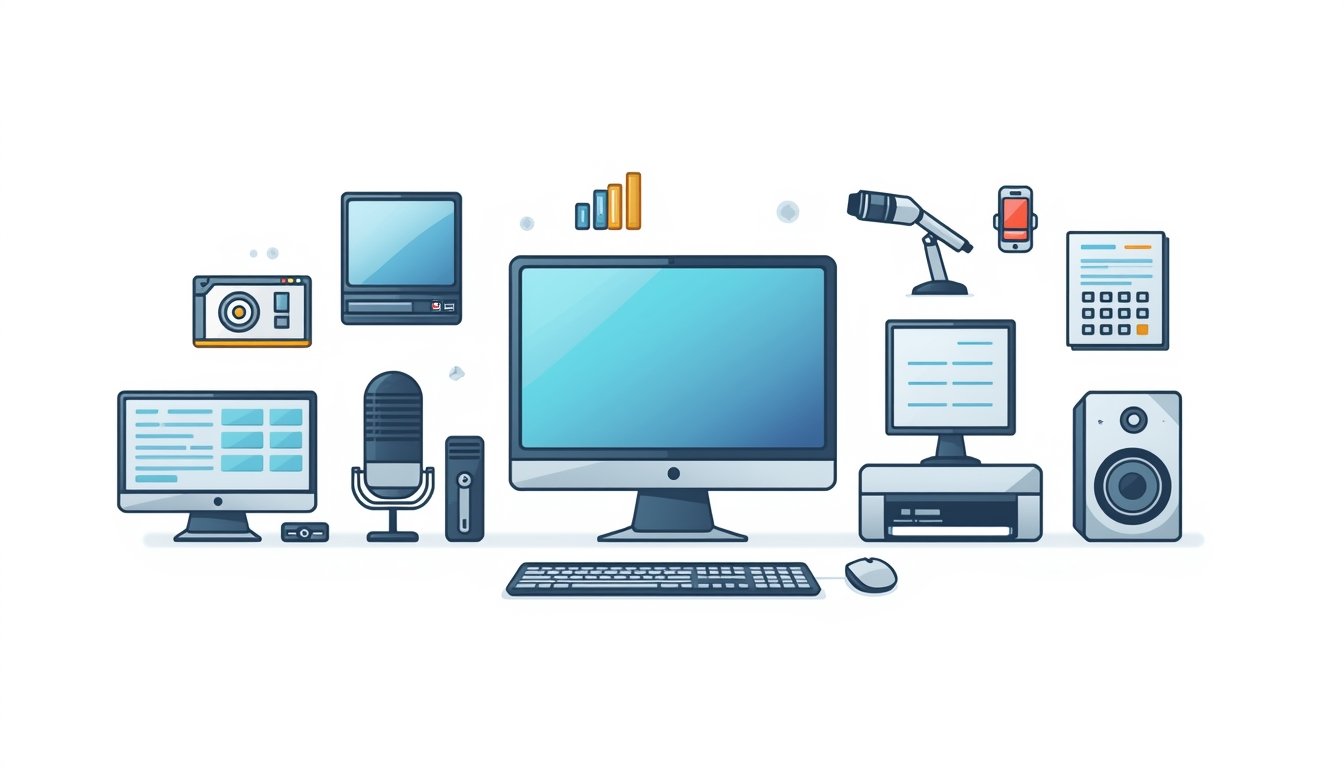
- Keyboard: A widely used input device that allows users to enter text, numbers, and symbols using keys.
- Mouse: A pointing device that helps users interact with items on the screen by clicking and selecting icons.
- Microphone: Accepts sound input and converts it into digital signals for the computer.
- Joystick: Mostly used for gaming purposes, it controls movement by tilting a stick in different directions.
- Light Pen / Stylus: Used to provide input by touching or pointing directly at the screen.
- Scanner: Converts physical documents, images, or text into digital format.
Output Devices
Output devices are hardware components that receive processed data from the computer and present the results to the user in a readable or understandable form.
Common Output Devices
- Monitor: Displays visual output such as text, images, and videos generated by the computer.
- Printer: Produces printed copies of documents, images, or text on paper.
- Speakers: Provide audio output, allowing users to hear sounds, music, or alerts.
- Projector: Displays images and videos from a computer onto a large screen for group viewing.
- Headphones: Deliver audio output for personal listening without disturbing others.
Input and Output Devices
Some devices are capable of performing both input and output functions. These devices can receive data and also send data to the computer or other devices.
Examples of Input/Output Devices
- CD/DVD Drives: Can read data from discs and also write data onto them.
- USB/Flash Drives: Allow data to be transferred between the computer and the storage device in both directions.
Conclusion
A computer is an electronic device that processes information and is capable of storing, retrieving, and managing data. It is widely used for tasks such as document creation, gaming, emailing, web browsing, and multimedia editing. To perform these tasks efficiently, computers rely on input and output devices. Common input devices include keyboards, mice, and scanners, while common output devices include monitors, printers, and speakers. Devices like USB drives and CD/DVD drives function as both input and output devices, enabling smooth data transfer.
- What is a computer
A computer is an electronic device that accepts data, processes it, and produces results - What is a computer system
A computer system is a combination of input, processing, and output units - What is input
Input is the data or instructions given to a computer by the user - What is output
Output is the processed result produced by the computer - What is processing
Processing is the operation performed on input data by the CPU - What is an input device
An input device sends data or instructions to the computer - What is an output device
An output device displays or presents results to the user - What is CPU
CPU is the brain of the computer that performs calculations and decisions - What is hardware
Hardware refers to the physical parts of a computer - What is software
Software is a set of programs that tell the computer what to do
- What is a keyboard
A keyboard is an input device used to type letters and numbers - What is a mouse
A mouse is a pointing input device used to select items on the screen - What type of device is a mouse
A mouse is an input and pointing device - What is a microphone
A microphone is an input device that captures sound - What is a joystick
A joystick is an input device mainly used for playing games - What is a scanner
A scanner converts paper documents into digital form - What is a light pen
A light pen is an input device used to point or draw on the screen - What is a stylus
A stylus is a pen-like input device used on touch screens - What is a monitor
A monitor is an output device that displays text and images - What is a printer
A printer is an output device that prints data on paper
- What is a speaker
A speaker is an output device that produces sound - What are headphones
Headphones are output devices used for personal audio - What is a projector
A projector displays images or videos on a large screen - What is hard copy
Hard copy is printed output on paper - What is soft copy
Soft copy is digital output shown on the screen - What is an input unit
The input unit consists of all input devices - What is an output unit
The output unit consists of all output devices - What is a processing unit
The processing unit performs calculations and logic operations - What is data
Data is raw and unprocessed information - What is information
Information is processed and meaningful data
- What is the function of a keyboard
It is used to enter text and numbers - What is the function of a mouse
It is used to point, click, and select items - What is the use of a scanner
It digitizes documents and images - What is the use of a microphone
It records voice and sound - What is the use of a monitor
It shows the output visually - What is the use of a printer
It prints documents and images - What is the use of speakers
They provide audio output - Where is a projector used
It is used in classrooms and presentations - Can a computer work without input
No, input is necessary to start processing - Can a computer be useful without output
No, output is needed to understand results
- Do input devices receive data
Yes, they receive data from users - Do output devices send data
Yes, they present processed data - Where is the CPU located
The CPU is inside the system unit - Can a computer store data
Yes, computers can store data - What is a storage device
A storage device stores data permanently or temporarily - What is a USB drive
A USB drive is a portable input and output storage device - What is a CD drive
A CD drive reads and writes data on CDs - What is a DVD drive
A DVD drive stores larger data than CDs - What is an input output device
A device that can both send and receive data - What is a touch screen
A touch screen works as both input and output device
- What type of input is a keyboard
Alphanumeric input - What type of input is a mouse
Pointing input - What type of input is a microphone
Audio input - What type of input is a scanner
Image and text input - What type of output is a monitor
Visual output - What type of output is a printer
Printed output - What type of output is a speaker
Audio output - What type of device is a headphone
Personal audio output device - Is a joystick an input device
Yes, it is an input device - Is a monitor an output device
Yes, it is an output device
- What is the main job of input devices
To send data to the computer - What is the main job of output devices
To show results to the user - Can input devices display output
No, they only send data - Can output devices take input
No, they only show results - What unit controls all operations
The CPU controls all operations - What device is used to type text
A keyboard is used to type text - What device is used to hear sound
Speakers or headphones are used - What device shows images
A monitor shows images - What device prints documents
A printer prints documents - What device scans documents
A scanner scans documents
- What is the role of software
Software controls the hardware - What is system software
System software manages computer operations - What is application software
Application software helps users do tasks - What is an example of input device
Keyboard is an example - What is an example of output device
Monitor is an example - What is an example of input output device
USB drive is an example - What kind of device is a webcam
A webcam is an input device - What kind of device is a plotter
A plotter is an output device - What kind of device is a touchscreen
It is both input and output device - What kind of device is a CD
A CD is a storage device
- What does a computer need to work
Input, processing, and output - What happens after input
Processing takes place - What happens after processing
Output is produced - Why are input devices important
They help users communicate with computers - Why are output devices important
They help users understand results - Can a computer work automatically
Yes, with pre-given instructions - What is digital data
Data in electronic form - What is analog input
Continuous input like sound - What is visual output
Output that can be seen - What is audio output
Output that can be heard
- What device helps in drawing digitally
Stylus helps in digital drawing - What device helps in gaming control
Joystick helps in gaming - What device helps in presentations
Projector helps in presentations - What device stores data externally
USB drive stores data externally - What device helps in video calling
Webcam helps in video calling - What device produces paper output
Printer produces paper output - What device produces sound output
Speaker produces sound - What device produces visual output
Monitor produces visual output - What makes a computer useful
Input and output devices - Why are input output devices necessary
They allow interaction between user and computer
Follow Toppers Track for daily updates 📢